
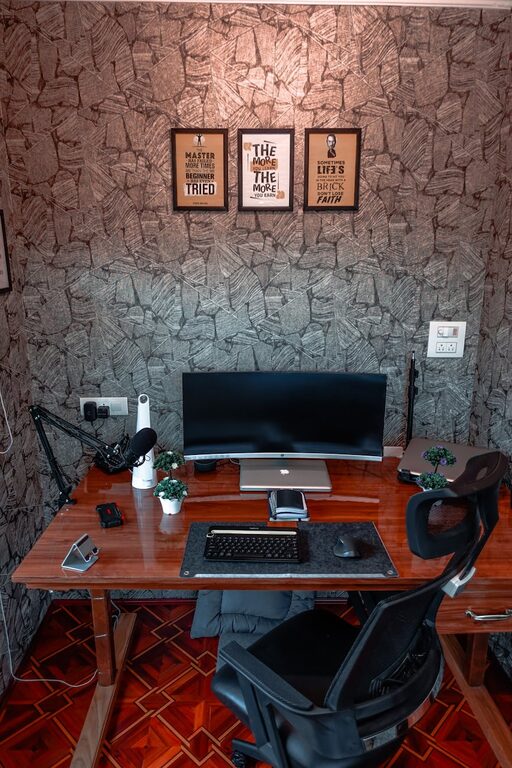
Creating a home workspace that feels both cozy and functional can make a significant difference in your productivity and overall well-being. Whether you work remotely, study, or manage household tasks from home, your workspace should be inviting and efficient. Here are some practical tips to help you design a space that supports focus, comfort, and creativity.
Choose the Right Location
Consider Natural Light
Natural light boosts mood and reduces eye strain. Try to position your desk near a window to take advantage of sunlight. If that’s not possible, invest in good quality, adjustable lighting that mimics daylight.
Minimize Distractions
Select a quiet corner or room where you can concentrate without frequent interruptions. If you have limited space, use room dividers or screens to create a sense of separation from other areas of your home.
Invest in Comfortable Furniture
Ergonomic Chair and Desk
Comfort plays a key role in maintaining focus. Choose an ergonomic chair with good lumbar support and a desk at the correct height to prevent strain. Adjustable furniture can offer flexibility for sitting and standing positions.
Add Soft Elements
Incorporate cushions, a plush rug, or a cozy throw blanket. These soft touches make your workspace inviting and can help you feel more relaxed during work hours.
Organize for Efficiency
Declutter Your Desk
Keep only essential items on your desk to prevent distractions. Use desk organizers, trays, or small containers to keep pens, papers, and electronics neatly arranged.
Use Storage Solutions
Shelving units, filing cabinets, or baskets help store documents and supplies out of sight but within easy reach. Labeling storage makes it easier to find what you need quickly.
Personalize Your Space
Add Plants
Plants not only add a splash of color but also improve air quality and create a calming atmosphere. Choose low-maintenance plants like succulents or pothos.
Display Inspiring Items
Photos, artwork, or motivational quotes can boost morale. Choose items that inspire you without overwhelming your workspace.
Optimize Technology Setup
Manage Cables
Use cable clips, sleeves, or a cable box to keep wires neat and untangled. This prevents clutter and reduces accidents.
Reliable Equipment
Invest in reliable technology, such as a good-quality monitor, keyboard, mouse, and possibly a headset for virtual meetings. These tools can enhance comfort and productivity.
Maintain a Clean Environment
Regular Tidying
Set aside a few minutes daily to clear your desk and organize papers. A clean workspace can help reduce stress and improve focus.
Fresh Air
If possible, open a window for fresh air breaks. Good ventilation helps keep the space feeling fresh and comfortable.
Create Boundaries
Define Work Hours
Establish a clear schedule to separate work from personal time. This helps maintain work-life balance and keeps your workspace purposeful.
Communicate with Household Members
Let others know your work hours and the importance of minimizing interruptions during those times. This respect for boundaries supports a productive environment.
Add Comfort Features
Temperature Control
Make sure your workspace is neither too hot nor too cold. Use fans, heaters, or air purifiers if needed to maintain a comfortable temperature.
Personal Comfort Items
Consider a water bottle, a cozy pair of slippers, or a small blanket nearby. Keeping these items handy can make long work hours more pleasant.
—
Designing a cozy and functional home workspace is a balance between comfort and organization. By paying attention to lighting, furniture, personal touches, and efficient storage, you can create a space that encourages productivity while feeling welcoming. Remember, the ideal workspace reflects your needs and personality, making working from home a more enjoyable experience.