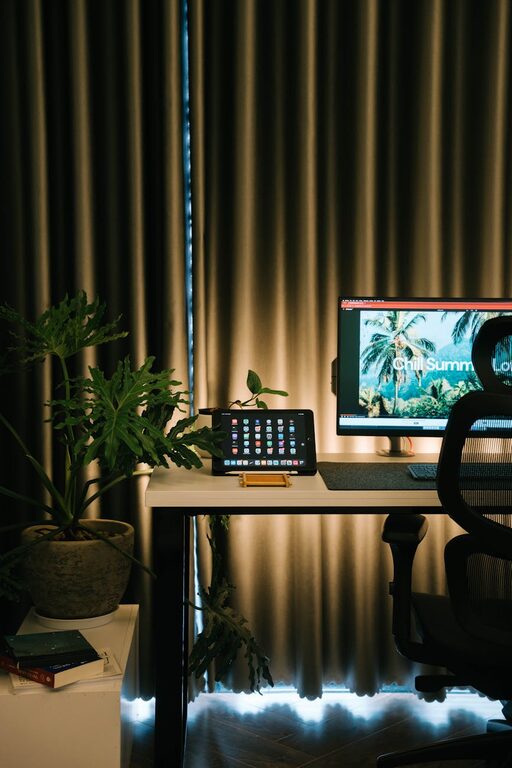
Creating a productive home office environment is essential for anyone working remotely or balancing professional tasks alongside home life. A well-designed workspace can improve focus, reduce stress, and increase overall job satisfaction. Whether you’re setting up a brand-new office or refreshing an existing one, there are simple steps that can help you create a space conducive to productivity.
1. Choose the Right Location
Consider natural light and quietness
Selecting the right spot in your home is the first step. Ideally, pick a space that has ample natural light, as sunlight improves mood and alertness. A quiet corner away from high-traffic areas or noisy appliances will reduce distractions.
Think about your daily routine
If you prefer morning silence, a bedroom corner might work well. For those who like some background activity, a spot near the kitchen but still separated could be suitable. Make sure the space accommodates your working hours and preferred noise levels.
2. Invest in Ergonomic Furniture
Comfortable chair and desk
A good office chair with adjustable height and lumbar support helps maintain proper posture, preventing back or neck pain. Pair it with a desk that suits your height and allows sufficient legroom.
Consider a sit-stand desk
If possible, a sit-stand desk encourages movement throughout the day, which can boost energy and reduce fatigue. Many models are adjustable and can fit various spaces.
3. Organize and Declutter
Use storage solutions
Keep your desk tidy and clutter-free by using shelves, drawers, or filing cabinets. Organize documents and supplies neatly to minimize distractions and save time searching for items.
Limit unnecessary items
Only keep essentials on your desk. Personal touches are great, but avoid overcrowding your workspace, which can reduce focus.
4. Optimize Lighting
Combine natural and artificial light
Good lighting reduces eye strain and improves concentration. Let in as much natural light as possible, and supplement with adjustable desk lamps or overhead lighting that mimics daylight.
Avoid glare and shadows
Position your screen and lights to prevent glare, which can cause discomfort and headaches. Use curtains or blinds to control sunlight, especially during bright afternoons.
5. Minimize Distractions
Set boundaries
Communicate your working hours clearly to family members or roommates to reduce interruptions. Consider a door or room divider if possible.
Use noise-cancelling tools
If noise is an issue, noise-cancelling headphones or white noise machines can help maintain focus during calls or deep work.
6. Personalize Your Space Wisely
Inspire without overwhelming
Add a few personal items like photos, plants, or artwork that inspire you. Greenery, in particular, can enhance mood and air quality.
Keep it professional
Ensure your space remains tidy and presentable, especially if you use it for video conferencing.
7. Technology and Connectivity
Reliable internet and equipment
A fast and stable internet connection is critical. Invest in quality hardware like a good monitor, keyboard, and mouse to improve comfort and efficiency.
Cable management
Use cable organizers to keep cords tidy and reduce distractions.
8. Create a Routine and Break Schedule
Structure your day
Having a consistent work routine helps train your brain to switch into work mode when you enter your office space.
Take regular breaks
Step away from your desk every hour or so to stretch or move around. This increases productivity and reduces fatigue.
—
By paying attention to these factors, you can create a home office environment that supports your work habits and well-being. A thoughtfully arranged workspace fosters a productive mindset and helps you enjoy the benefits of working from home.